Announcements
Ostendo has the capability of receiving announcements directly from Development-X. This is useful for Development-X to convey new features and fixes that have been included in automatic Minor Updates or general communications from Development-X to end users. You can then optionally email these onto Non Ostendo users.
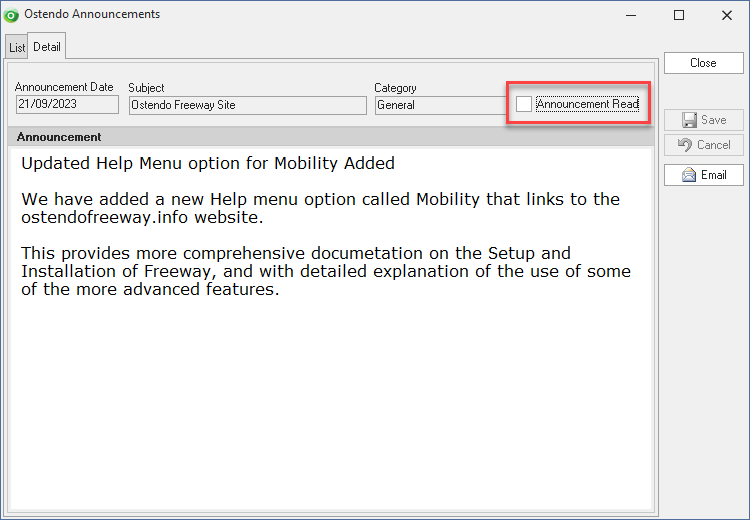
Unread announcements can then be marked as ‘Read’. All announcements (Read or Unread) remain in the log thereby allowing users to review previous entries.
The Main Header Bar of Ostendo shows a heading “Ostendo Announcements” for all users.
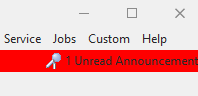
If you click on this heading, an Announcements screen will be launched, which provides a log of read and unread announcements.
All user are able to view Announcements, however only some can mark an announcement as Read. There is a option in User Security and Options to ‘Flag Announcements as Read'.
By default, no users can mark announcements as read, therefore this setting should be updated for at least one user.

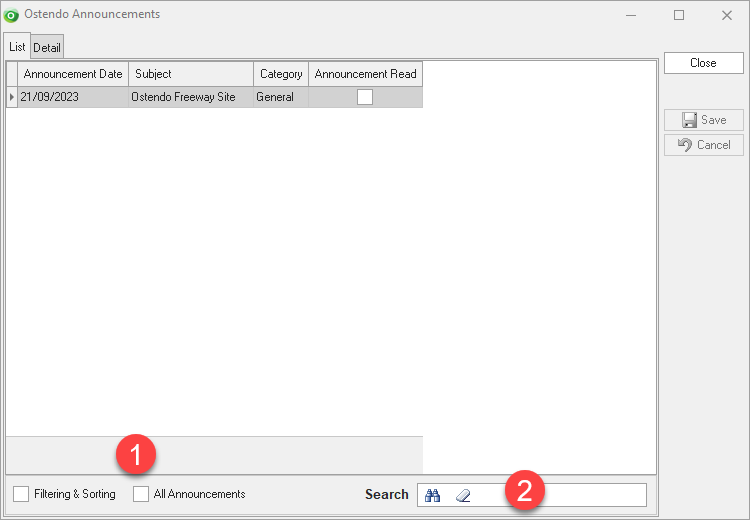
Display unread announcements by clicking on the heading to display the Announcements List screen.
By default only Unread announcements are displayed.